
Shipment, warehouse & coverage plan
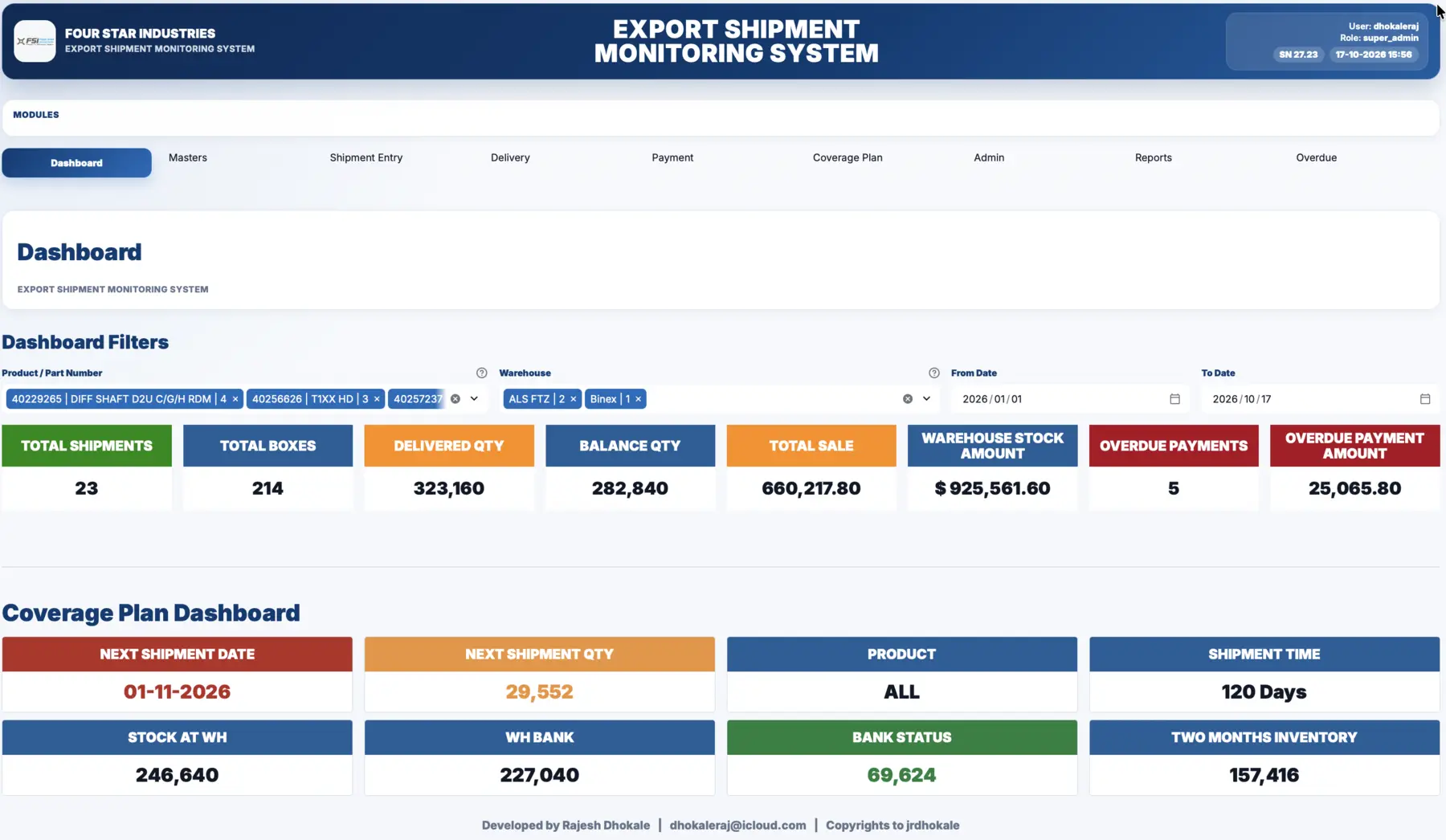
Export Shipment Management
Dispatch, invoices, warehouse stock and customer coverage plans in one view, so planners see shipment risk weeks ahead.
- Cloud
- Web
How it works
The track, step by step.
- 01PlanCustomer schedule entered by part
- 02DispatchInvoice and container details recorded
- 03TrackShipment status until delivery
- 04CoverWeeks of coverage calculated per part
- 05CollectPayments allocated to invoices
STAWN SIIntelligent System layer in Export Shipment
Working today
- Coverage weeks calculated automatically from stock, transit and schedule
- Shipments at risk highlighted in the coverage table
- Next shipment date and quantity proposed from the plan
On the SI roadmap
- Demand change alerts from customer schedule revisions
- Suggested container fill by part and due date
Benefits
What changes on your line.
- Accuracy
One shipment record from invoice to payment. No version clash between spreadsheets.
- Time saving
Coverage and dispatch plans update when data is entered, not at month end.
- Cost effectiveness
Fewer air freights caused by late visibility of a shortage.
- Less human dependency
The plan lives in the system, not in one planner's file.
Features
What Export Shipment controls.
- Shipment and delivery invoice tracking
- Warehouse stock and blue-bar stock monitoring
- Weekly coverage plan by part and customer
- Payment allocation against invoices
- Existing data is never deleted by updates
In the warehouse
Stock and shipments, seen together.
Related systems
Works together with
Packing validation & traceability
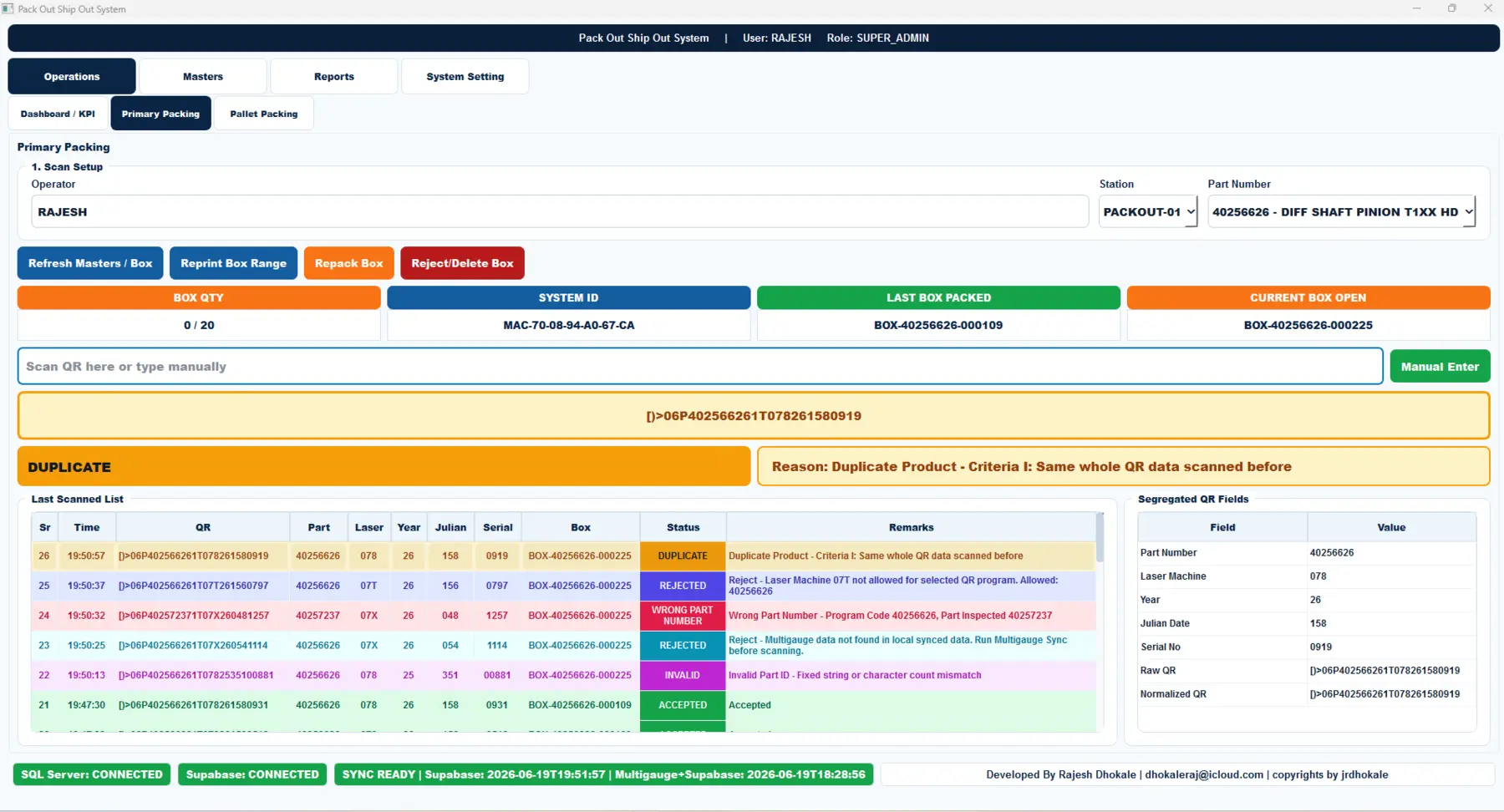
Pack Out / Ship Out
Every part QR is decoded and checked before it enters a box. Duplicates, wrong part numbers, unapproved laser machines and missing gauge data are stopped at the station.
- Shop floor
- SQL Server
- Cloud sync
Quality Control Monitoring System
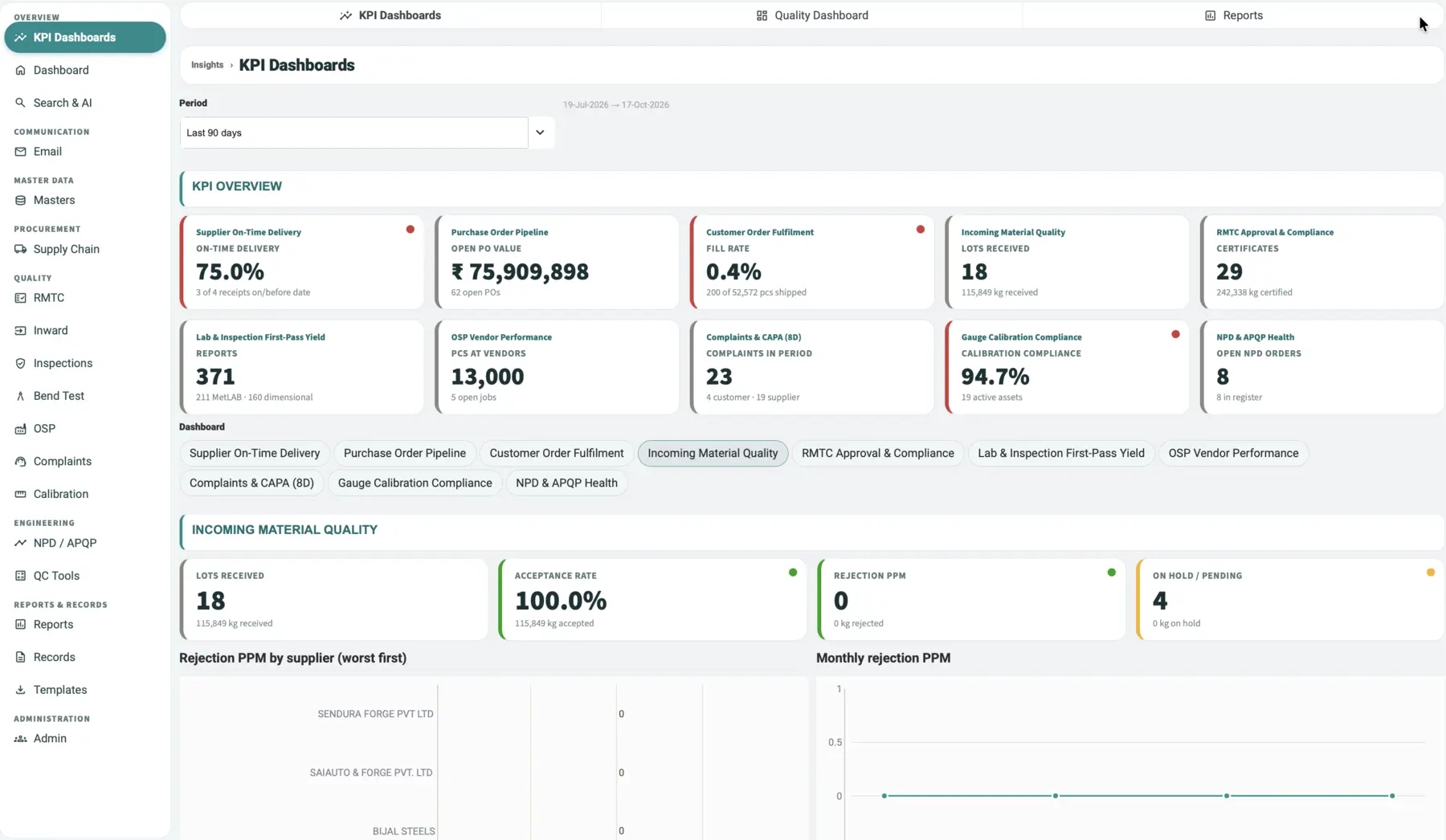
STAWN QCMS
One quality system from purchase order to final inspection. KPI dashboards, raw-material test certificates, inspections, bend and metallurgy reports, complaints with CAPA, calibration and APQP in one record.
- Cloud
- Web
- Android
- iOS
Serial generation & marking control
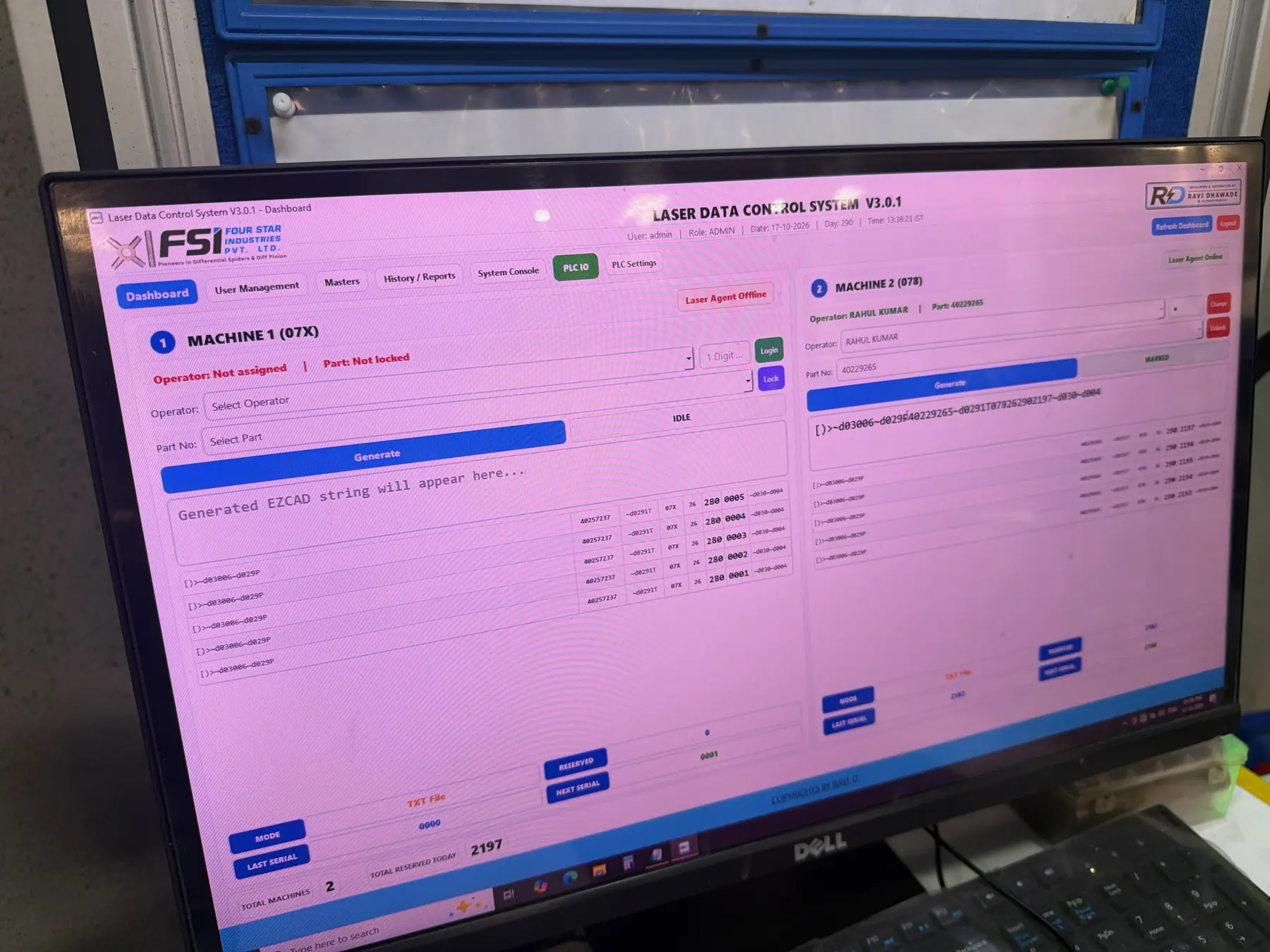
Laser Marking Control
Controls what each laser marks. Operators are locked to machine and part, serials are reserved before marking, and every code is logged for traceability.
- Shop floor
- Agent
- Cloud sync