
Serial generation & marking control
Laser Marking Control
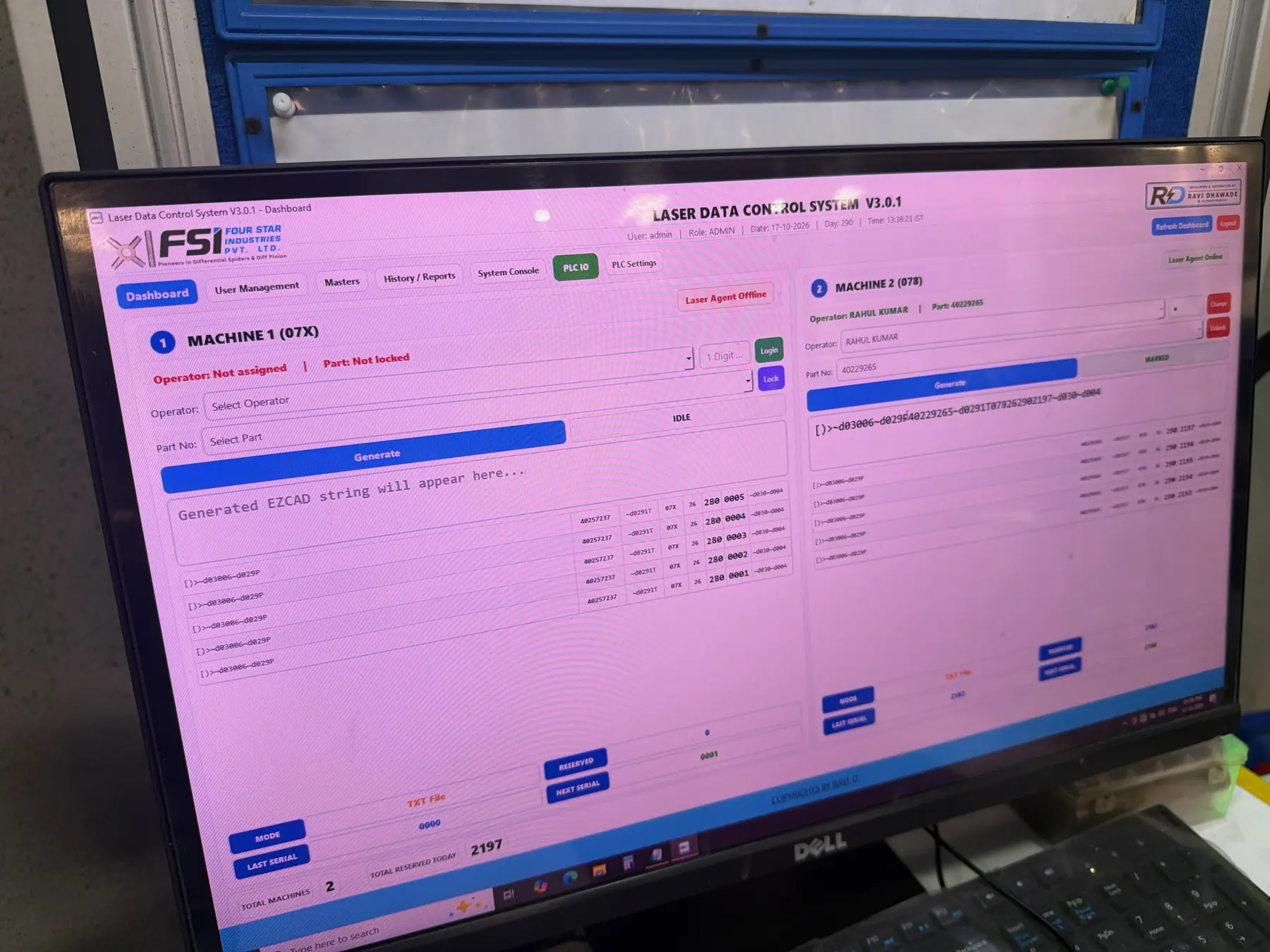
Controls what each laser marks. Operators are locked to machine and part, serials are reserved before marking, and every code is logged for traceability.
- Shop floor
- Agent
- Cloud sync
How it works
The track, step by step.
- 01SelectOperator logs in, machine and part locked
- 02GenerateString built from part, machine, year, Julian day, serial
- 03ReserveSerial reserved so no other station can use it
- 04MarkSent to the laser, status turns MARKED
- 05VerifyPack Out decodes and checks the mark
STAWN SIIntelligent System layer in Laser Marking
Working today
- Serial numbers generated and reserved centrally per machine
- Duplicate serials blocked at source
- Mark history searchable by part, date and machine
On the SI roadmap
- Code-grade check from STAWN Visuals Pro after marking
- Laser health and output trend per shift
Benefits
What changes on your line.
- Accuracy
Each serial is used once. The code format is built by the system, not typed.
- Time saving
Operators select and mark. No manual serial register to maintain.
- Cost effectiveness
No rework or scrap from duplicate or wrongly formatted codes.
- Less human dependency
Serial control no longer depends on the operator remembering the last number.
Features
What Laser Marking controls.
- Generate, reserve and mark workflow
- Machine-wise operator and part locking
- Last and next serial visibility
- Agent and text-file output to the marker
- User management, masters and history reports
At the marker
Reserved, marked, logged.
Related systems
Works together with
Packing validation & traceability
Pack Out / Ship Out
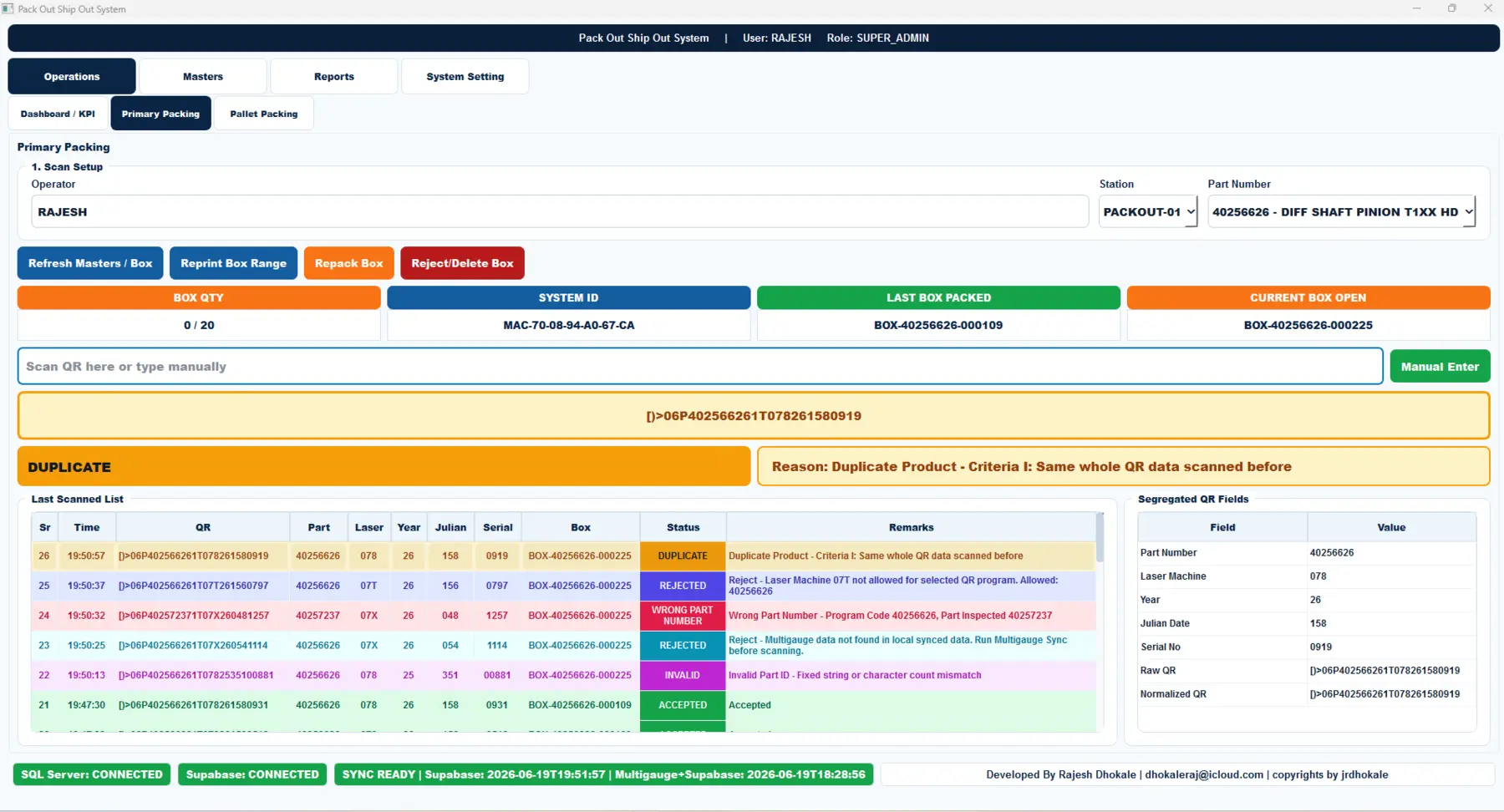
Every part QR is decoded and checked before it enters a box. Duplicates, wrong part numbers, unapproved laser machines and missing gauge data are stopped at the station.
- Shop floor
- SQL Server
- Cloud sync
Scan, segregate & count
QR Product Sorting
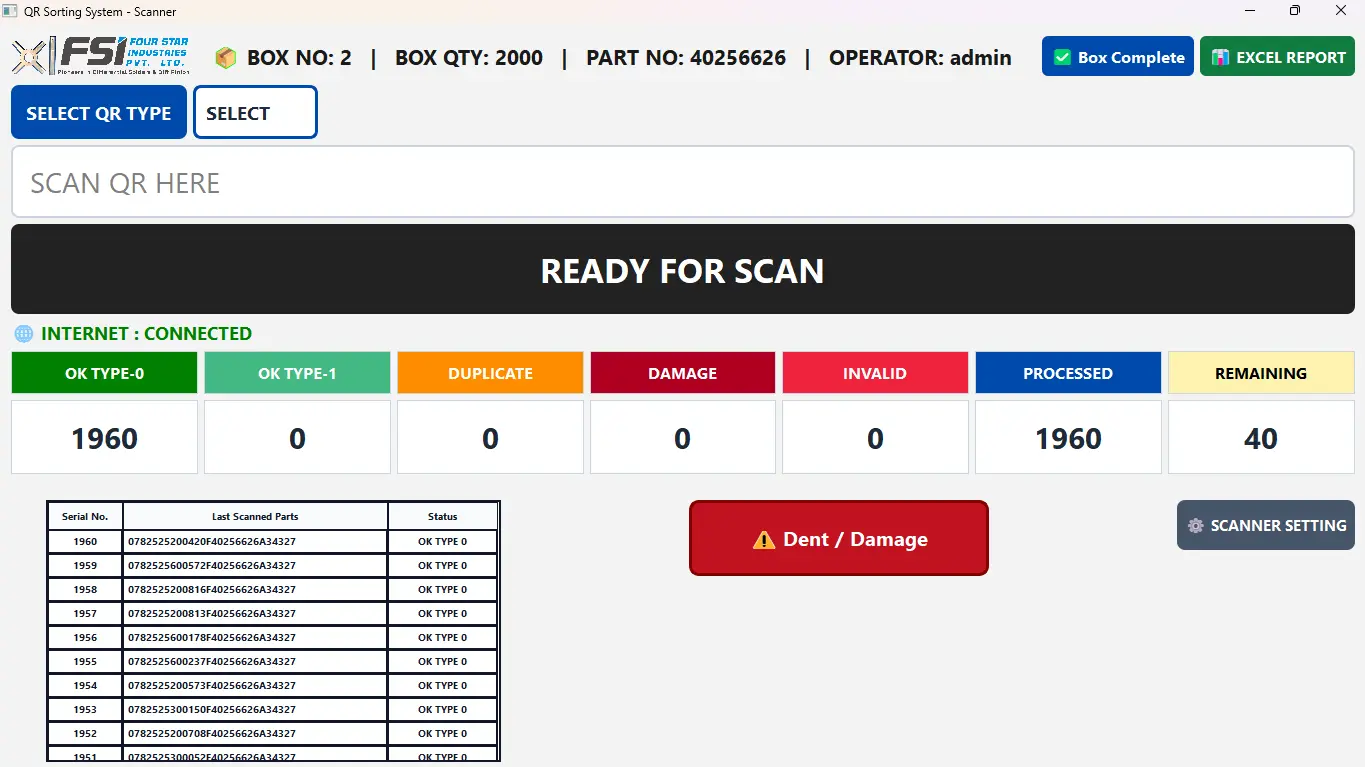
Guides operators through part segregation by QR type with instant duplicate alerts and live OK, processed and remaining counts per box.
- Shop floor
- Excel report
Quality Control Monitoring System
STAWN QCMS
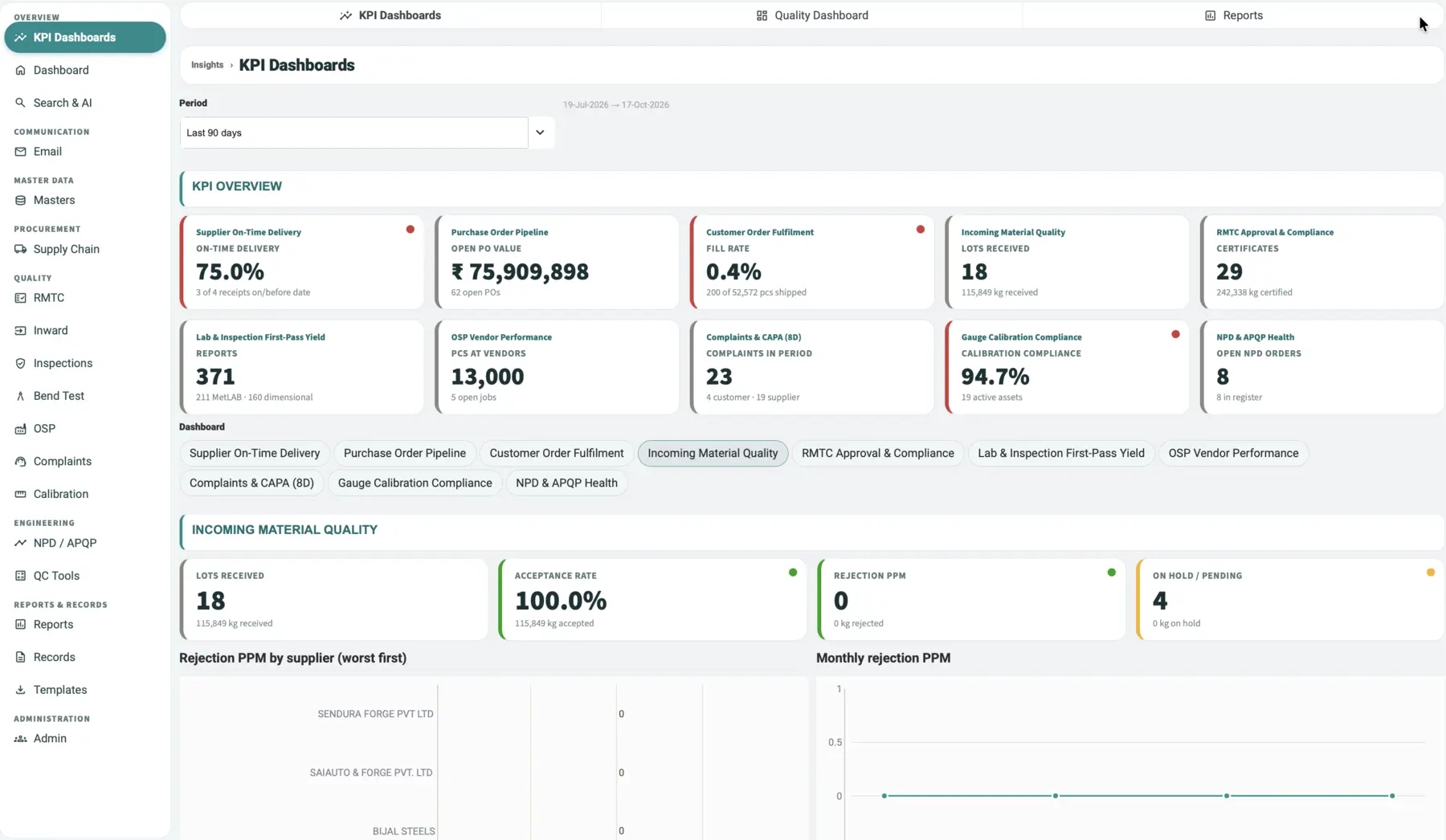
One quality system from purchase order to final inspection. KPI dashboards, raw-material test certificates, inspections, bend and metallurgy reports, complaints with CAPA, calibration and APQP in one record.
- Cloud
- Web
- Android
- iOS