
Scan, segregate & count
QR Product Sorting
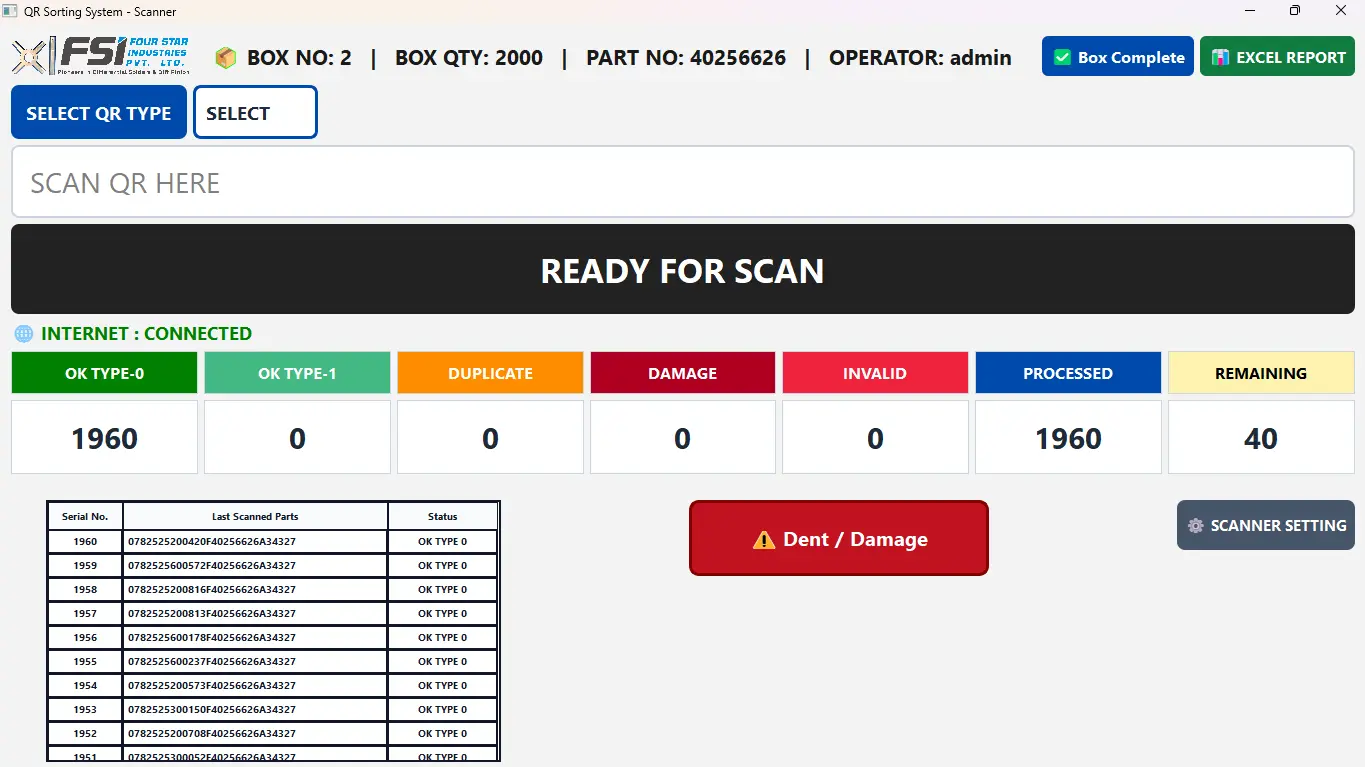
Guides operators through part segregation by QR type with instant duplicate alerts and live OK, processed and remaining counts per box.
- Shop floor
- Excel report
How it works
The track, step by step.
- 01Create boxPallet number, box quantity, part number
- 02Select typeChoose the QR type to sort for
- 03ScanEach part scanned and classified
- 04AlertDuplicate or other type pops up red or green
- 05CloseBox complete and Excel report
STAWN SIIntelligent System layer in QR Sorting
Working today
- Automatic classification by QR type
- Duplicate detection with full-screen alert
- Live counters for OK, damage, invalid and remaining
On the SI roadmap
- Camera-based dent and damage detection from Visuals Pro
- Sorting rules learned from previous customer returns
Benefits
What changes on your line.
- Accuracy
Every part is classified by its code, not by sight.
- Time saving
Large lots are sorted with one scan per part and a ready report.
- Cost effectiveness
Containment sorting for a customer concern is done in-house, fast and documented.
- Less human dependency
New operators sort correctly from day one with the on-screen guidance.
Features
What QR Sorting controls.
- QR type selection and scan input
- Duplicate and alternate-type pop-up alerts
- Dent / damage recording by operator
- OK, processed and remaining counters
- Box management: create, resume, export old box report
Traceability
What the code tells the station.
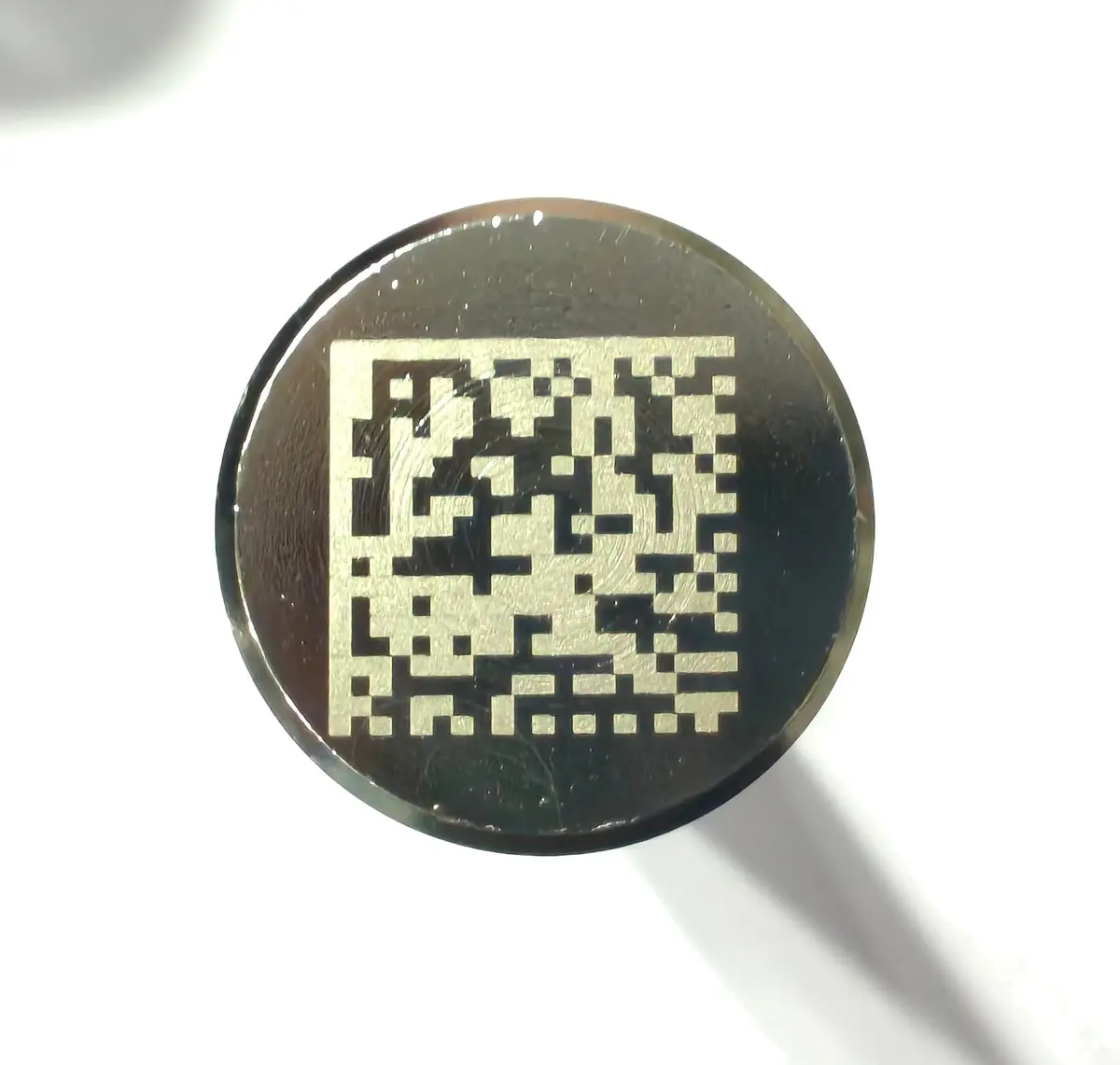
[)>06P402566261T078261580919
[)>06PHeaderISO/IEC 15434 format40256626Part number8 digits1TSeparatorFixed078Laser machineApproved list26Year2026158Julian day7 June0919SerialPer day
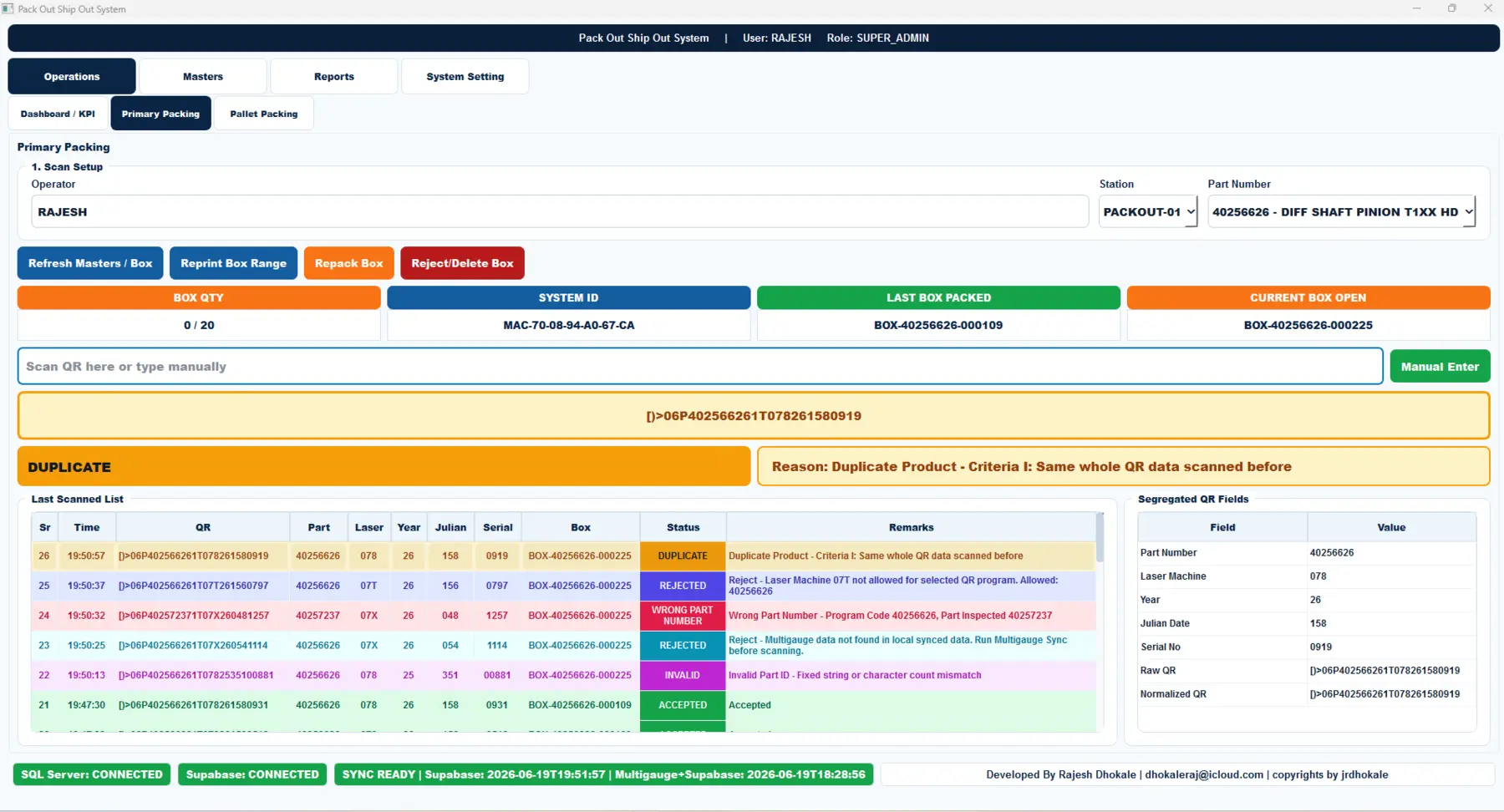
Station verdicts, as they appear on Pack Out
- ACCEPTEDAll five criteria passed. Part added to the open box.
- DUPLICATESame whole QR data scanned before.
- WRONG PARTProgram 40256626, part inspected 40257237.
- REJECTEDLaser machine 07T not allowed for this QR program.
- NO GAUGE DATAMultigauge record missing. Run sync before scanning.
- INVALIDFixed string or character count mismatch.
Related systems
Works together with
Packing validation & traceability
Pack Out / Ship Out
Every part QR is decoded and checked before it enters a box. Duplicates, wrong part numbers, unapproved laser machines and missing gauge data are stopped at the station.
- Shop floor
- SQL Server
- Cloud sync
Serial generation & marking control
Laser Marking Control
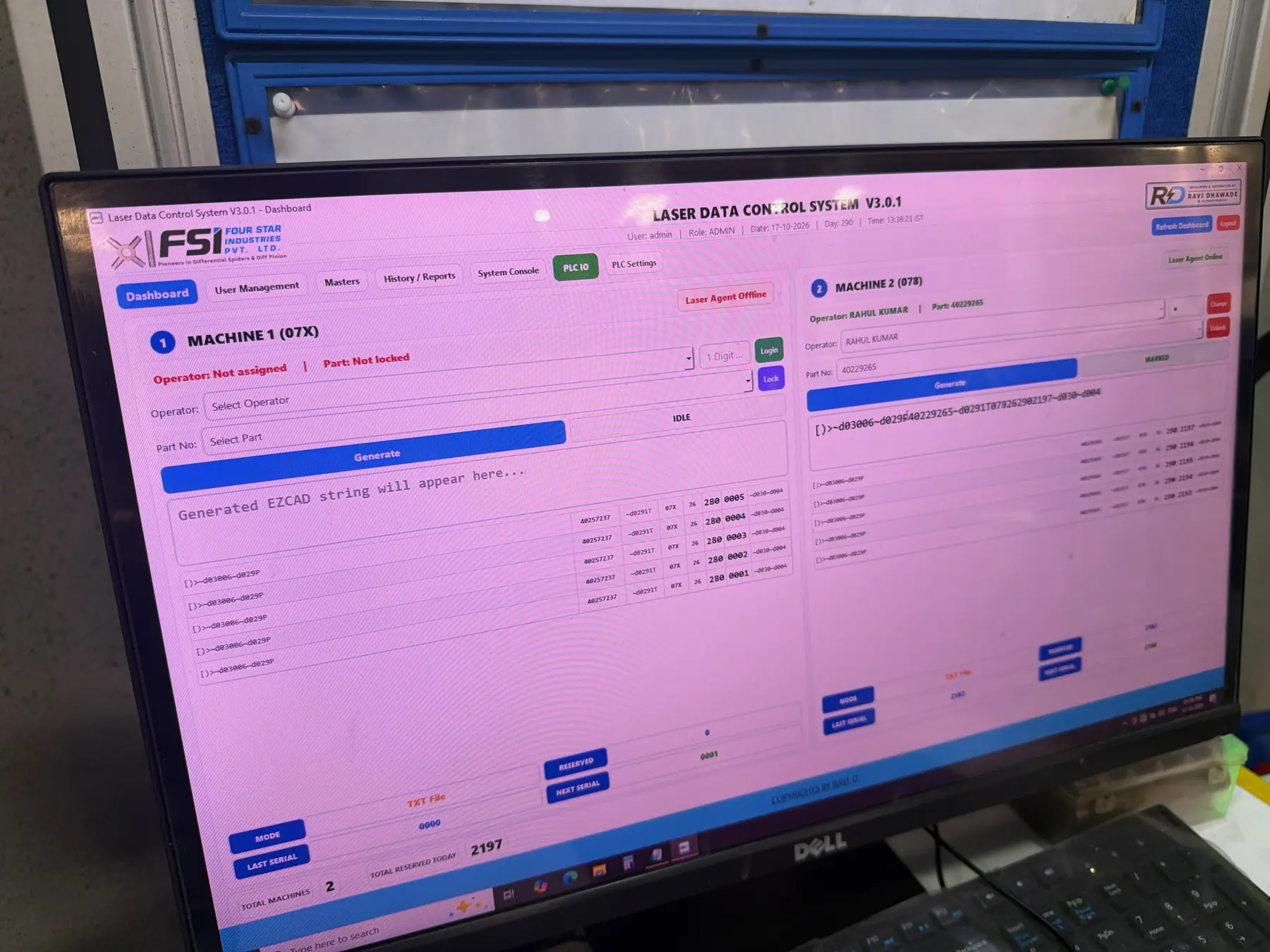
Controls what each laser marks. Operators are locked to machine and part, serials are reserved before marking, and every code is logged for traceability.
- Shop floor
- Agent
- Cloud sync
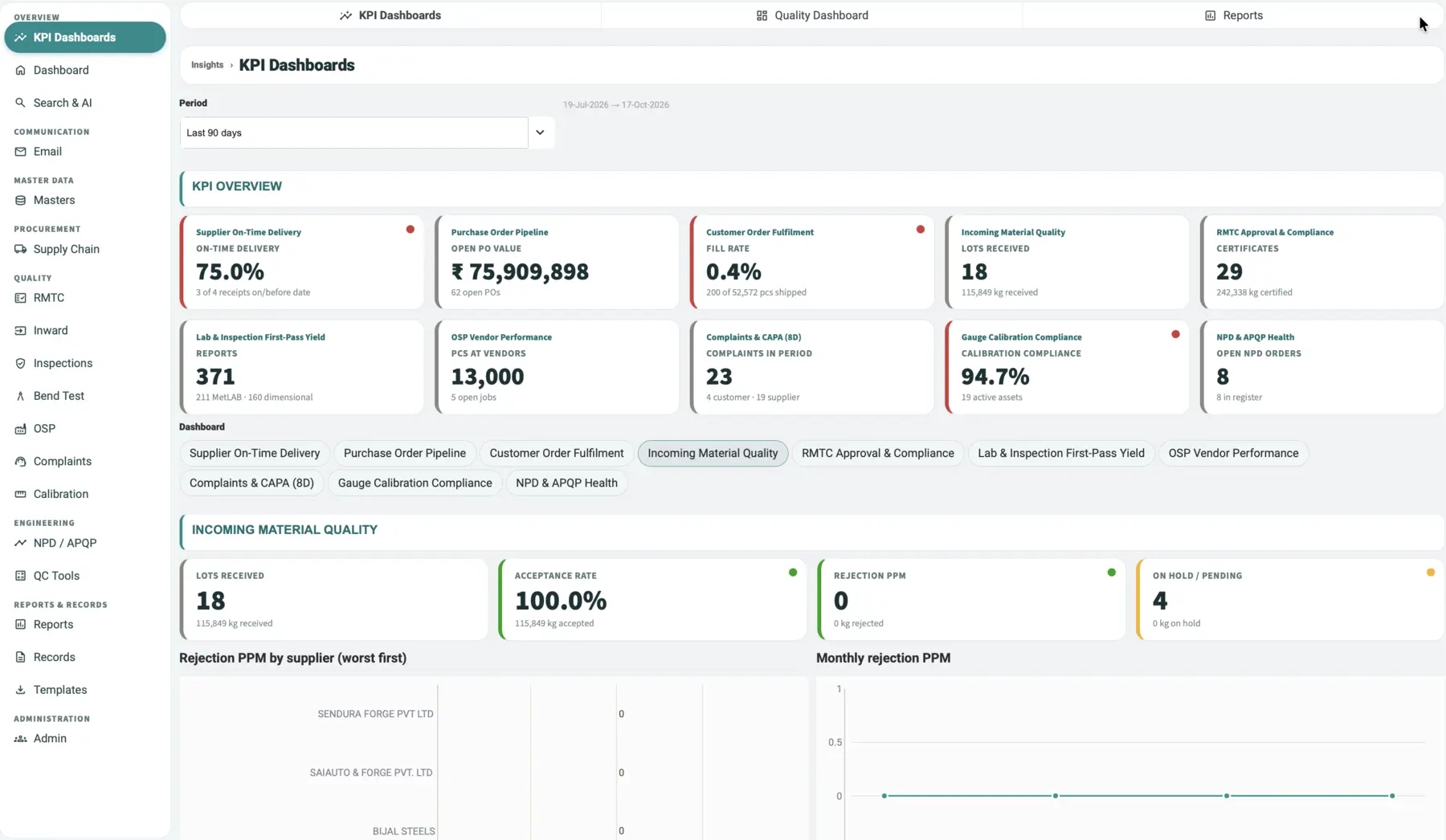
Quality Control Monitoring System
STAWN QCMS
One quality system from purchase order to final inspection. KPI dashboards, raw-material test certificates, inspections, bend and metallurgy reports, complaints with CAPA, calibration and APQP in one record.
- Cloud
- Web
- Android
- iOS